
Case study 02 · HubSpot · 2022 to 2024
Campaign Assistant:
The Front Door
to Microapps
Building HubSpot's fastest-growing freemium entry point - and the proof of concept for an entire microapps strategy that now drives 6% of all freemium signups.
- landing page, email sequence, social posts - from a simple brief?
Campaign Assistant started as an experiment in AI-powered marketing tools. I designed it end to end, from concept to launch. It became HubSpot's fastest-growing freemium entry point and the foundation for a microapps portfolio that grew to 6% of all HubSpot signups at 140% YoY growth.
A microapp gives users a taste of HubSpot without asking them to buy a CRM. Campaign Assistant was the tool that proved the whole model could work.
In 2022, HubSpot's microapps were lead-gen pages pretending to be products. They captured emails and not much else. No coherent journey. No bridge into the core product. No reason to come back.
By 2024, Campaign Assistant was generating 3,000 signups a month, earned a spot at INBOUND, and had more than doubled the number of users clicking into HubSpot tools. This is how that happened.
Featured at INBOUND as a standout example of AI-native acquisition design.
Small business marketers were googling for help with specific campaign needs: "email sequence for product launch," "social media posts for Black Friday," "landing page copy for webinar."
They'd land on HubSpot's blog, get advice, then leave. We had the knowledge but no way to help them actually do the work. We were answering questions but not solving problems.
The insight: what if we could meet them at the moment of intent - when they're searching for help - and give them the actual assets they need, not just advice?
Campaign Assistant was designed to capture that moment: turn search intent into tool usage, and tool usage into HubSpot signups.
I led 15+ user interviews with HubSpot Partners, small business marketers, marketing coordinators, and solopreneurs. We wanted to understand their daily challenges, tool preferences, and what would make them try a new AI tool.
Time is everything.
"I'd rather have 80% done in 10 minutes than spend 2 hours getting it perfect."
High interest in AI, low understanding.
Users were excited about AI but didn't know what it could actually do for them. They needed concrete examples, not abstract promises.
Trust through transparency.
Users wanted to see how the AI worked and have control over the output. Black-box solutions felt risky for their brand.
Just the fact that you are talking to me now and you want things to be better is great. I don't feel like we're just a small company making up your numbers. I feel like you're genuinely interested in what we've got to say.
- UK Sales Head Manager · Marketing Starter Customer
The core user journey had three critical moments:
Brief input.
Make it stupid simple to describe what you need. A form, not a conversation. Clear structure, smart defaults.
Multi-asset generation.
AI creates everything you need for a campaign: landing page, email sequence (3 emails), social posts (5 variations). A complete package, not just one thing.
Bridge to HubSpot.
The hardest part. How do we move users from "I got what I needed" to "I want to use HubSpot" without feeling like bait-and-switch?
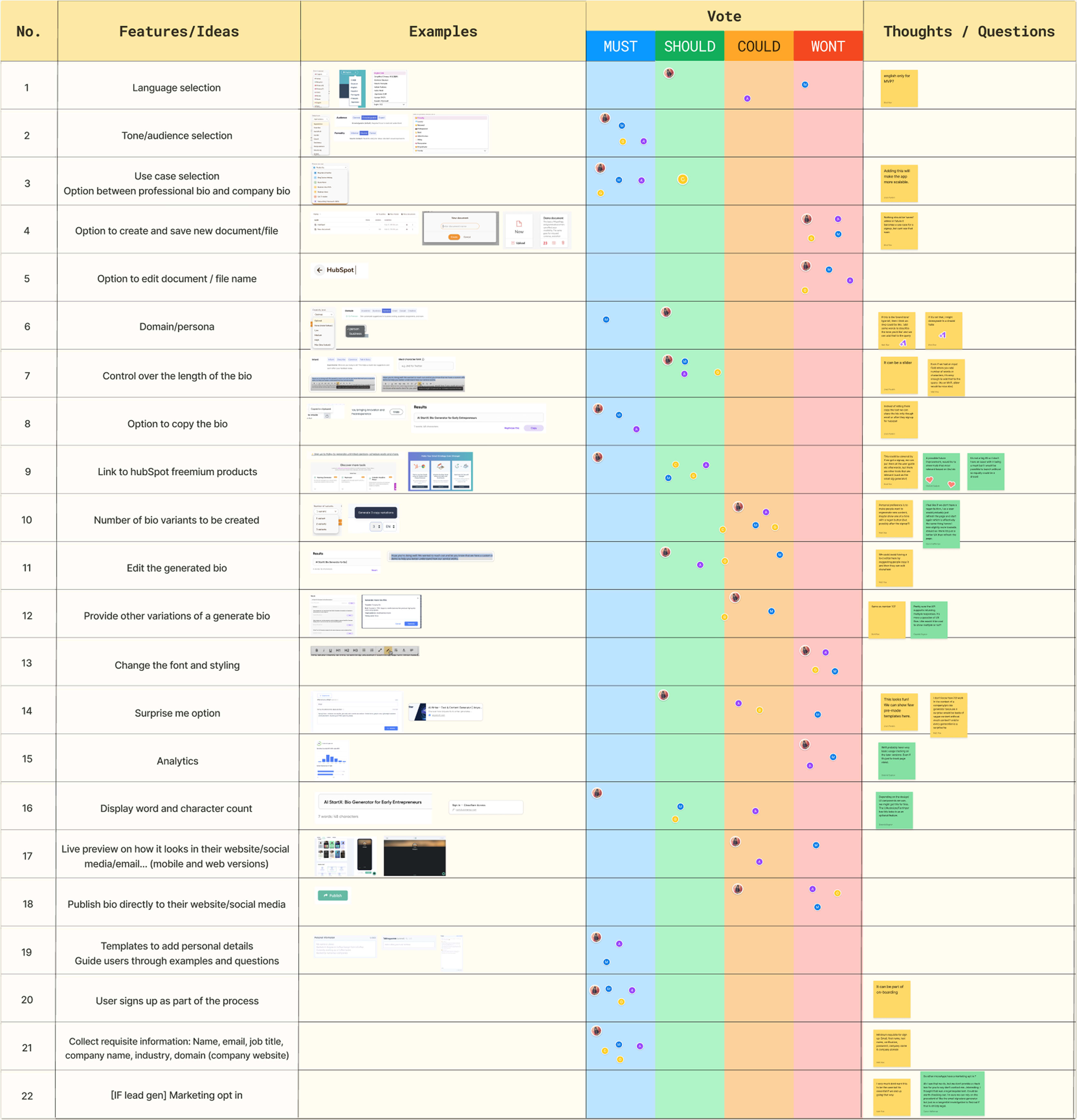
Scoping the bridge experience
- "Save this campaign" CTA, named after the user's actual asset
- One-click save of all generated assets, no signup wall first
- A soft landing that explains what HubSpot does next, not what HubSpot is
- Next-action recommendations triggered by the asset just generated
- Inline preview of the HubSpot tools relevant to the asset, not the full catalog
- Progress from "asset generated" to "CRM activated," with the steps named
- Template gallery seeded by the asset the user just created
- Light HubSpot tour, triggered only after the first bridge action
- Shareable asset links for non-HubSpot teammates
- Signup gate between users and their generated asset
- Generic "Go to HubSpot" CTA, untied to the asset the user just made
- Full HubSpot onboarding flow at the moment of bridge
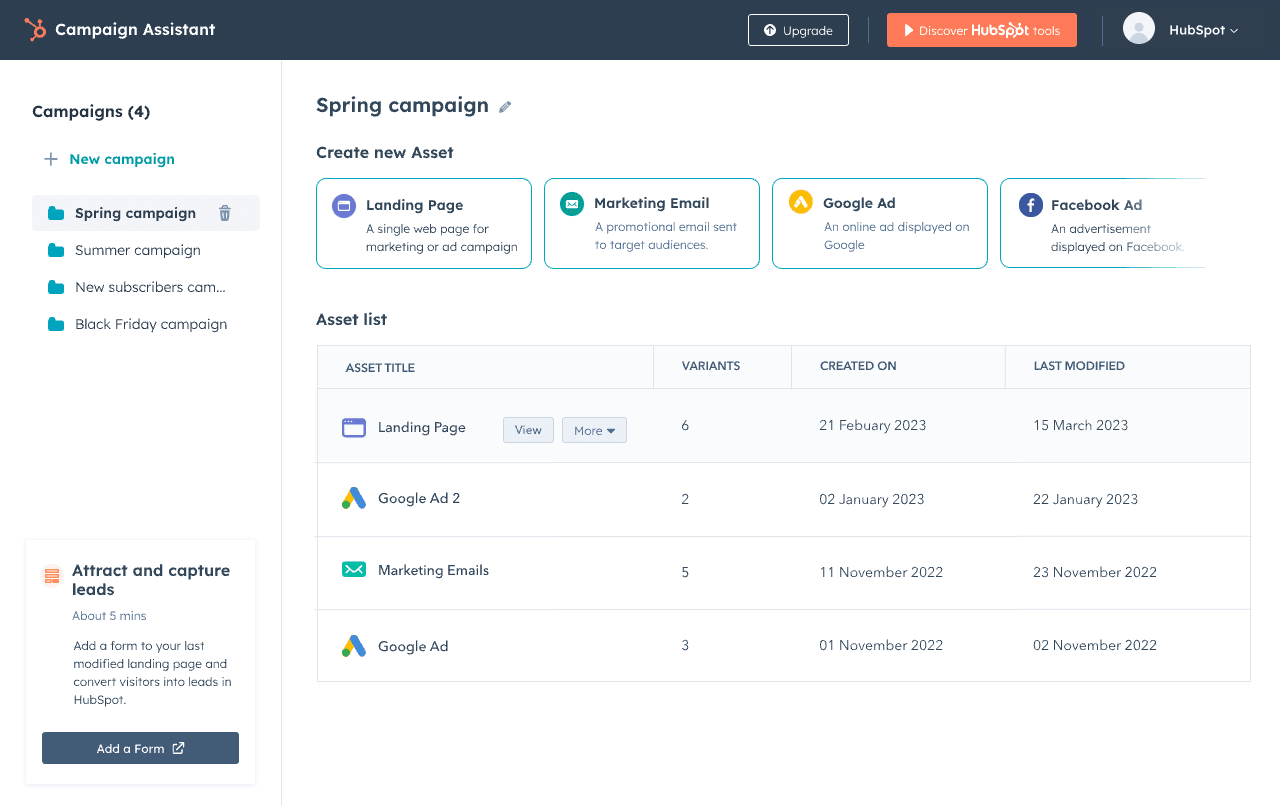
Campaign Assistant is a browser-based tool that lives outside HubSpot. It's designed to be discovered through search, used immediately (no login required), and graduated into HubSpot naturally.
Brief input screen.
Clean, focused form with campaign goal, target audience, key messages, and brand voice. Single-column layout with smart defaults and inline examples.
Generation flow.
Progress indicator with encouraging messages. Users see assets being created in real time (45–60 seconds). This "reveal" moment builds trust.
Asset review.
Side-by-side view of all generated content: landing page, 3 emails, 5 social posts. Each with copy, edit, and regenerate options.
Campaign Assistant taught us what a great microapp looked like. I worked with PMs and engineers to turn those learnings into other microapps: Blog Idea Generator and Invoice Generator.
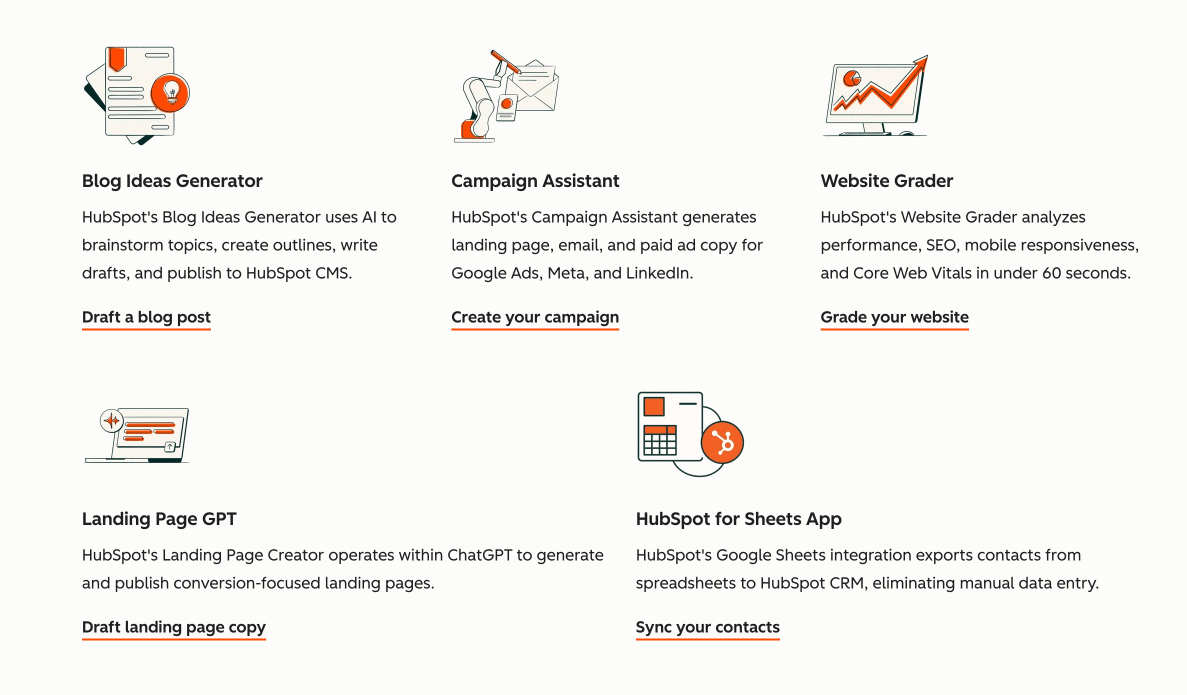
Proof of concept for a
Campaign Assistant didn't just work. It validated an entire distribution strategy. It proved that AI-powered microapps could be a significant acquisition channel for HubSpot.
AI as acquisition hook.
AI-powered tools can attract users who would never search for 'CRM' or 'marketing platform.'
Microapps strategy.
Small, focused tools that solve one problem well can be more effective than promoting the full platform.
Bridge design matters.
Thoughtful transition design increased HubSpot engagement by 121%. The 'how' of moving users matters as much as the 'what.'
Portfolio effect.
Each microapp reinforced the others. Users who tried one were more likely to try another.
If I were starting again I'd push harder, earlier, on the - treating Campaign Assistant, Blog Magic and Invoice Generator as one connected system from day one rather than three independent experiments. We earned that learning the long way around.
Next case study